ddsonic plays Spotify, YouTube Music, local files and internet radio in one fast, keyboard-driven player. Search them all at once, browse each on its own, or see the albums and artists of Spotify, YouTube Music and Local side by side in All Music.
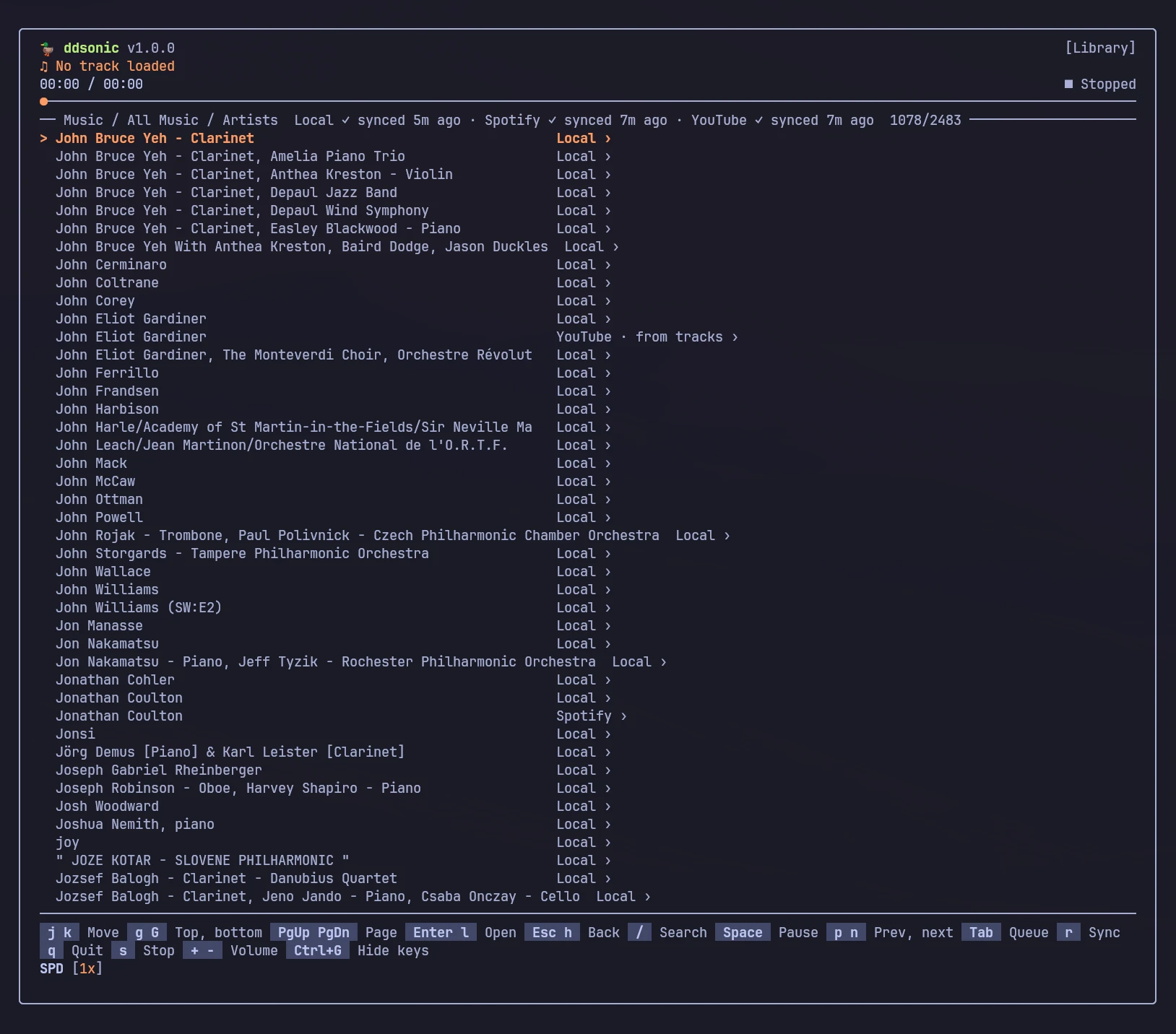
Each source has its own entry with its own views. All Music lists the albums and artists of Spotify, YouTube Music and Local side by side in one list, each row labelled with its source, and a row opens that source's own album or artist.
All Music has albums and artists only, and it merges nothing: the same album in two sources stays two rows, next to each other. Playlists, liked songs, genres, folders and stations stay in each source's own entry.
YouTube Music albums and artists are the ones found in your Liked Music and synced playlists, and albums may be incomplete. Saved YouTube Music Library Albums and followed artists are not synchronized.
All Music
Albums · Artists: Spotify, YouTube Music and Local rows side by side, each labelled with its source
Spotify
Albums · Artists · Playlists · Liked Songs
YouTube Music
Albums from tracks · Artists from tracks · Playlists · Liked Music
Local
Albums · Artists · Genres · Folders · Playlists
Radio
Favorites · Browse Stations
All Music · Albums Illustration
Blue TrainJohn ColtraneYouTube · from tracks
Daphnis et ChloéChicago Symphony OrchestraLocal
Kind of BlueMiles DavisLocal
Kind of BlueMiles DavisSpotify
The Köln ConcertKeith JarrettSpotify
Search everything as you type.
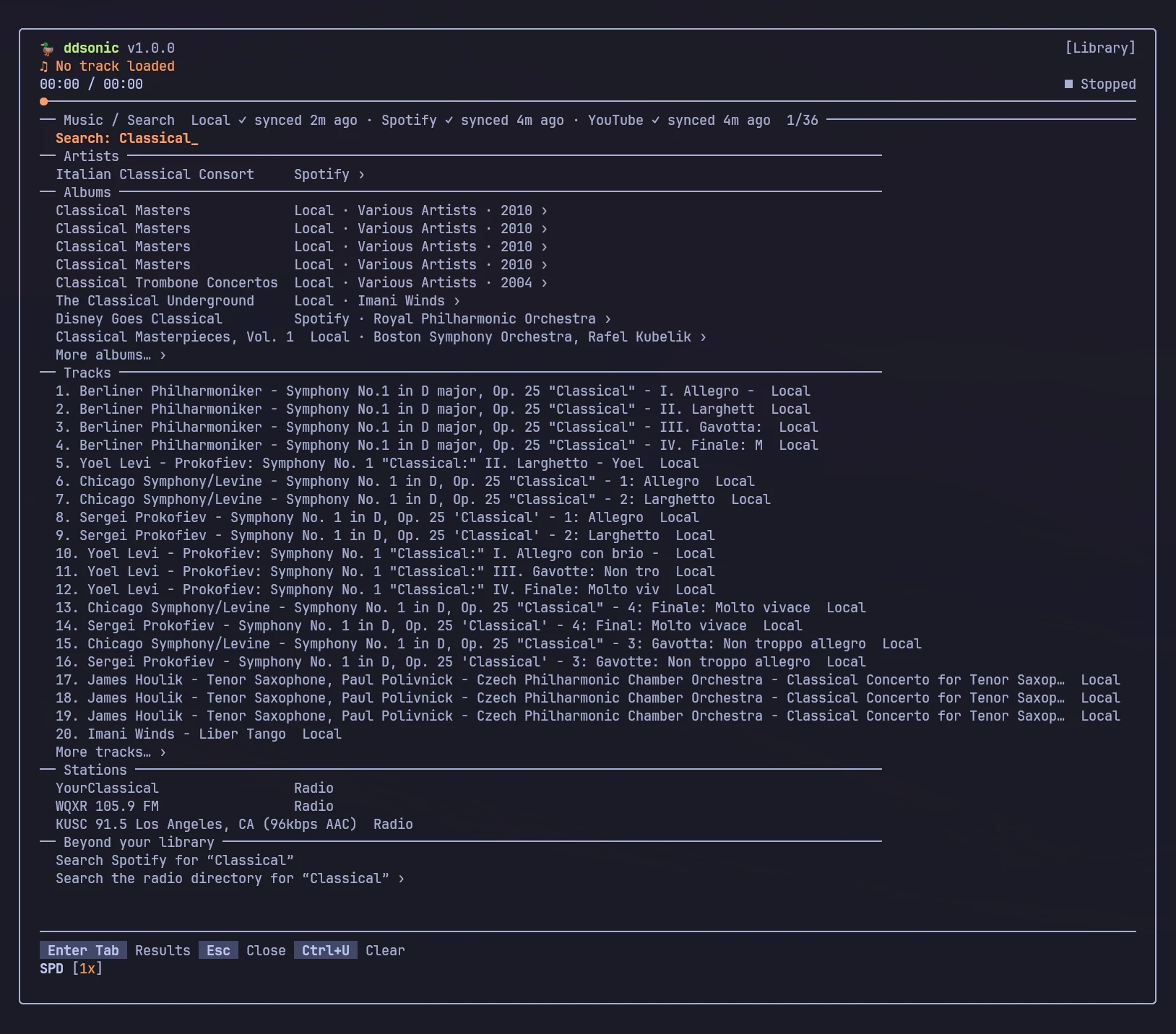
/ searches your Spotify and YouTube Music libraries, your local music and your radio stations at once. Results come in groups (Artists, Albums, Tracks, Playlists and Stations), each row labelled with its source, and operators such as artist:, album: and source:local narrow them.
Beyond your library, rows at the end of the results search Spotify itself, YouTube Music and the radio station directory. Live search of YouTube Music works only when it signs in with browser cookies alone; with an OAuth client configured, YouTube Music has no live search.
ddsonic keeps your libraries in a local catalog and syncs it in the background, so lists open at once and browsing and search work without a network. At startup, Spotify and YouTube Music sync again if their last sync is older than two hours (by default), local music reads only the files that changed, and r syncs the source you are browsing.
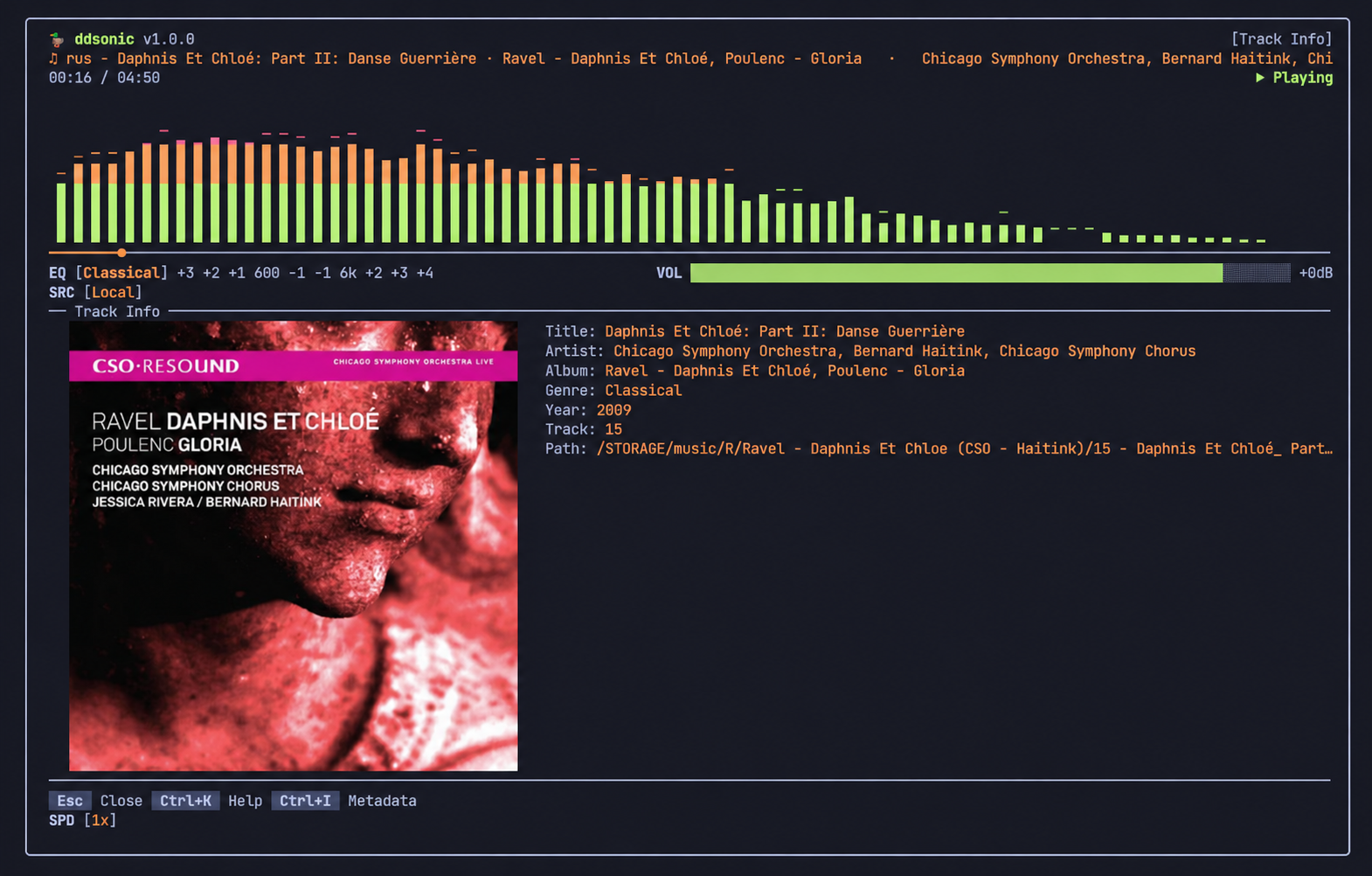
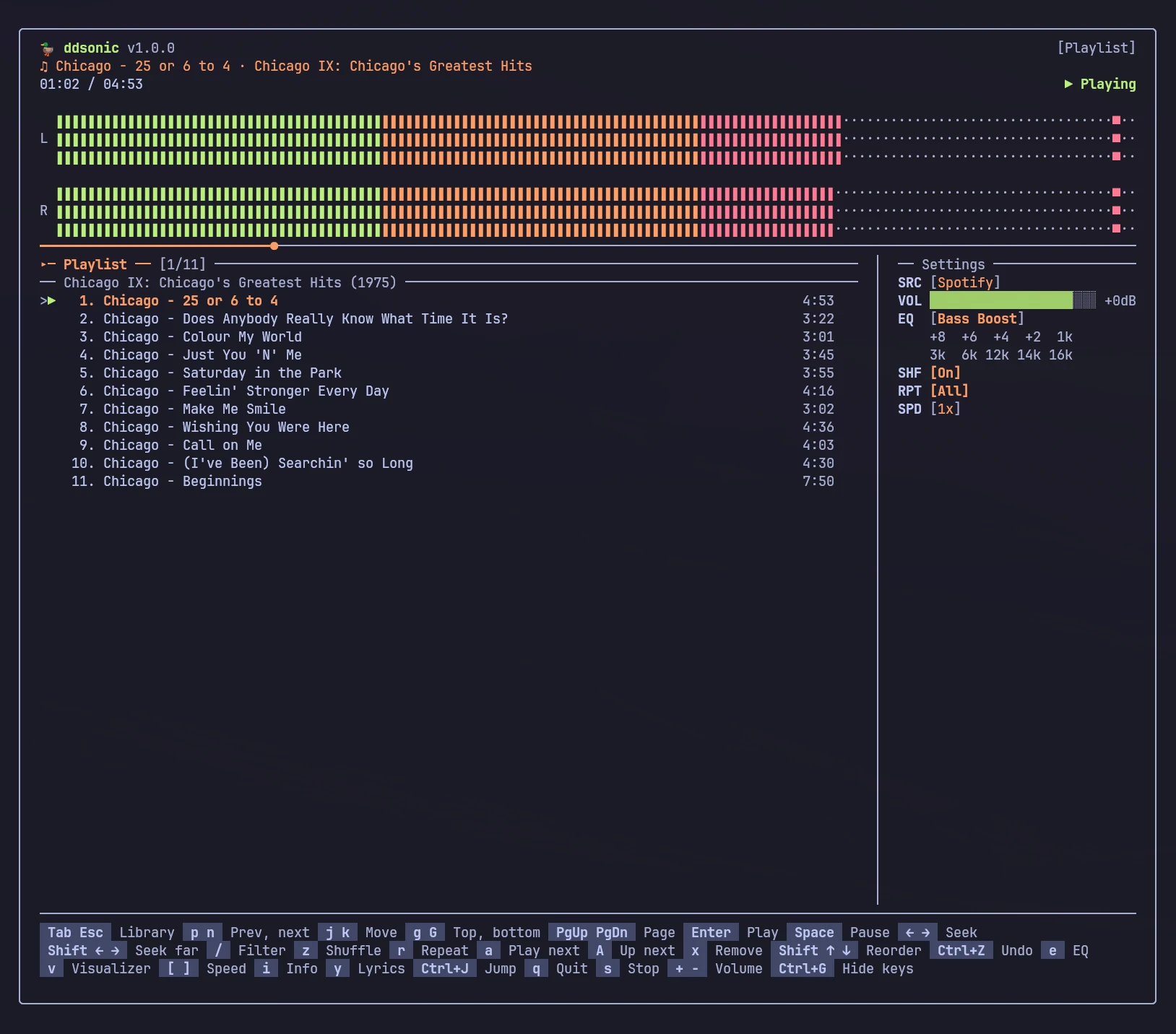
Gapless playback, a 10-band equalizer with presets, spectrum visualizers, themes, lyrics, playback speed, shuffle and repeat, all inherited from cliamp, and a queue you can reorder. Album artwork appears beside a track's details in Kitty and Ghostty.
Media keys and desktop widgets work through MPRIS, and ddsonic pause, ddsonic next and ddsonic status control the running player from a script or a keybinding.
Screenshots
ddsonic demo
A 48-second tour, without sound: browsing local music, search, album artwork, the Stereo visualizer and internet radio.
The title card: ddsonic, “All your music. One terminal.”
A track from the local library playing, with the queue below the Stereo visualizer.
All Music listing the local albums, then the artists.
Typing “daphnis” into search, which finds a local album and its tracks.
An album opened and played; Track Info shows its cover beside the track details; then the queue again.
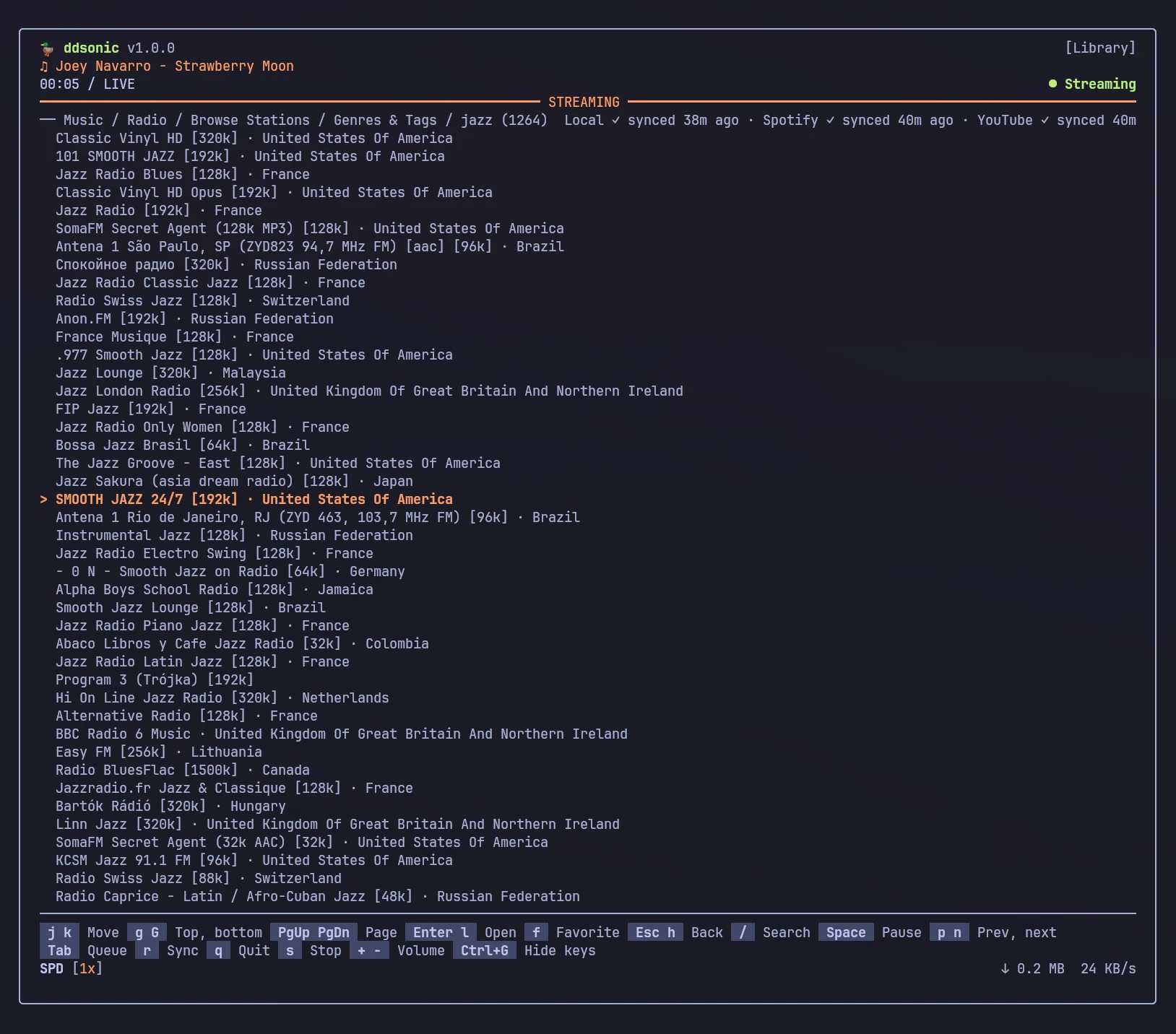
Radio: the public station directory, the jazz stations, and one station streaming with the Stereo visualizer.
The closing card: ddsonic, “All your music. One terminal.”, ddsonic.app.
Search. One search as you type, here for "Classical": artists, albums, tracks and stations from Spotify, Local and Radio, each labelled with its source, then "Beyond your library" rows for Spotify and the radio directory.
All Music. Browse artists from Spotify, YouTube Music, and Local Music together, with each entry labelled by its source.
Playback. Spotify playback: the visualizer, the queue with the playing track, the playback settings and the keys that work there.
Internet radio. The Radio Browser directory by country or tag; star a station to keep it in your favorites.
Install
ddsonic has a release build for Linux x86-64 (glibc 2.36 or newer; it needs only ALSA and glibc from your system). Paste this whole block into sh, bash or zsh. It downloads the latest release (opens in a new tab) into a new temporary folder, checks that the download is intact, and installs ddsonic for your user, without sudo. It stops at the first step that fails, before installing anything:
The archive's name includes the version, so the commands read it from SHA256SUMS. The checksum confirms that the download is complete and matches the release's checksum list; it is an integrity check, not a signature, and does not prove who published the files.
Or download the ddsonic-<version>-linux-amd64.tar.gz archive and SHA256SUMS from the latest release page (opens in a new tab) into an empty folder, and run there:
ddsonic setup sets up Spotify, YouTube Music and your music folder, each optional, and ddsonic opens the library. To update, install a newer release the same way; ddsonic does not update itself.
Building from source needs Go 1.26.6 or later, a C compiler, pkg-config and the ALSA and codec headers, then make install. An AUR package, ddsonic-bin, is planned; it is not in the AUR yet.
Written in Go on Bubble Tea, Lip Gloss and Beep, with Spotify through go-librespot and the catalog in SQLite. Sound goes through ALSA. Settings live in ~/.config/ddsonic/config.toml, which ddsonic setup writes.
ddsonic keeps its own config, data and media-key name, so it can be installed beside cliamp.